
A–z Basic print with arrows
All 26 uppercase and lowercase print letters with arrows indicating stroke order, on four-line guides. Oversized letters, great for new learners of any age. One letter per row with tracing.
Print one sheet, fill it in and take a photo. The tool measures your baseline, letter size, tall letters and tails, slant, spacing and letter shapes, shows each measurement drawn on your own writing, and picks the practice sheets that target your weak spots. Save the result to your account to see your progress over time.
One page: the lowercase and capital alphabet, a sentence to copy on guide lines, one on a single line and one on plain paper. Use a pencil or a dark pen and write as you normally do, without hurrying.
Print at 100% (actual size). Colour or black and white both work.
The letter rows and question 3 have four dotted lines, like a school exercise book:

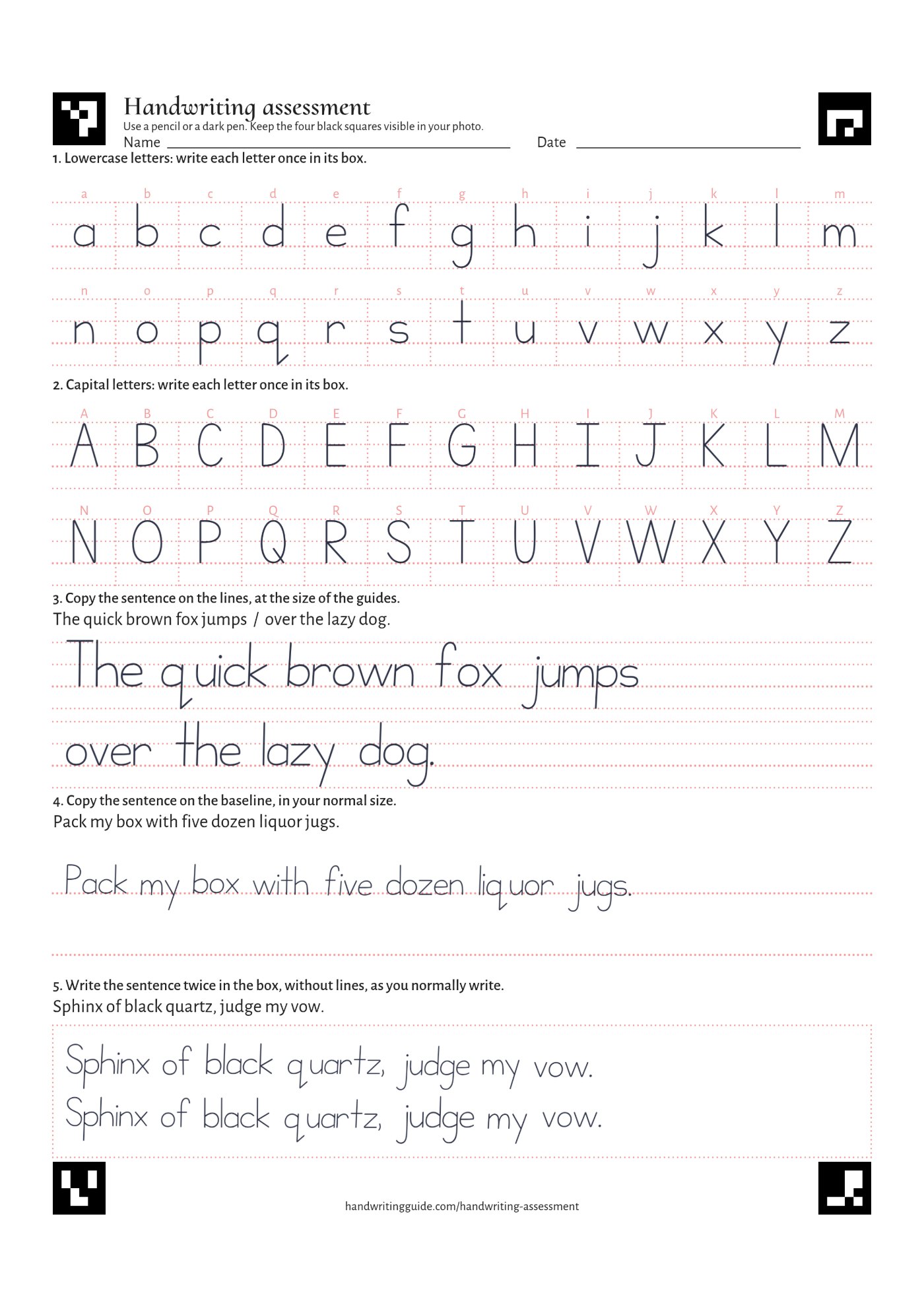
Write in your own hand; the example only shows where everything goes.
Lay the sheet flat in good, even light and take the photo from straight above, with all four black corner squares in the picture. A scan works just as well.
Drag the four red points onto the outer corners of the black squares, in order: 1 top left, 2 top right, 3 bottom right, 4 bottom left.
Your results appear here once you've chosen a photo or scan above.
Save this result, take the assessment again every few weeks, and your progress page charts how each measurement changes.
The measurements and the cropped pictures of your writing (not the full photo), so later versions of this tool can re-measure every saved assessment the same way and your progress stays comparable. You can delete them at any time.
Log in or create a free account to save this result and follow your progress over time. Your result is kept while you log in.
Choose a measurement to see it drawn over your writing.
Everything measured looks good. Keep your hand in shape with the ready-made sheets or your own in the generator, and take the assessment again in a few weeks.
Trace the letters with the stroke arrows, then copy them: closing round letters, dotting i and j, and keeping b, d, p and q apart all come from forming each letter the same way every time.
All 26 uppercase and lowercase print letters with arrows indicating stroke order, on four-line guides. Oversized letters, great for new learners of any age. One letter per row with tracing.
All 26 uppercase and lowercase upright print letters on four-line guides. One letter per row with tracing followed by empty guided lines for copy practice.
Words with letters grouped by shape families on four-line guides. Lines for tracing and copying.
Four-line guides show exactly where each letter starts and stops: small letters fill the middle, tall letters reach the top line and tails reach the bottom one.
All 26 uppercase and lowercase upright print letters on four-line guides. One letter per row with tracing.
26 pages, one for each letter, in print for tracing and copywork on four-line guides.
Empty page with only the 4 guide lines, for easy printing and copywork practice.
Copy whole lines of text on guides until the baseline and letter size feel automatic, then try the same text on plain paper.
26 pages, one for each letter, in print for tracing and copywork on four-line guides.
The foundation drills from our control exercises guide: vertical downstrokes, horizontal strokes, both diagonals and connected arches in a clear print style. Each drill appears twice, a dotted row to trace and an empty guide row for freehand practice.
Empty page with only the 4 guide lines, for easy printing and copywork practice.
Slant guides give every downstroke the same angle to follow. Pick the slant that feels natural to you and keep to it.
All 26 uppercase and lowercase slightly slanted print letters on four-line guides. One letter per row with tracing.
All 26 uppercase and lowercase slightly slanted print letters on four-line guides. One letter per row with tracing followed by empty guided lines for copy practice.
Empty page with 4 horizontal guide lines along with a slanted one, for easy printing to make your calligraphy practice.
Copy words and sentences, leaving the same small gap between letters and about one letter "o" between words.
Words with letters grouped by shape families on four-line guides. Lines for tracing and copying.
Short texts written in slightly slanted print on four-line guides. Each line is shown as a dotted tracing row followed by an empty guided line for independent copy practice.
The foundation drills from our control exercises guide: vertical downstrokes, horizontal strokes, both diagonals and connected arches in a clear print style. Each drill appears twice, a dotted row to trace and an empty guide row for freehand practice.
Nothing here is guessed by an AI. The tool finds the black corner squares to straighten the photo, separates your writing from the printed guides, and then measures it:
Where each word sits, how far words drift from the line, how tall your small letters are from word to word, how far tall letters and tails reach compared with them, the angle your writing leans at and how much that changes, and the gaps between letters and between words.
Whether round letters (a b d e g o p q, and the capitals with bowls) are closed, whether i and j have their dots and t, f, A and H their bars, and whether b, d, p and q are the right way round.
On the guide lines: whether tall letters reach the top line, tails the bottom line, small letters fill the middle and capitals reach the top, and whether letters sit on the baseline.
Each result is marked good, fair or needs practice against fixed thresholds, the same for everyone. Your letters are not compared with a model font, and any steady slant is fine, forward or backward. What a static photo cannot show is how you wrote: stroke order, direction, speed and grip are not measured.
Your photo is analysed in your browser and is never uploaded. Only when you choose to save a result are the measurements and the cropped writing areas stored with your account.
The complete guide to improving your handwriting explains how to work on each skill the assessment measures, with practice sheets for every step.


